ShoutoutDigital
Paid Ads Strategy
🦷
Timberlands Dental Β· Positive Growth Pathway

Building on momentum
to generate more enquiries.

Timberlands has already created strong local visibility through awareness and traffic activity. The next step is to make the pathway clearer β€” using Traffic and Lead Gen to help interested locals take action with confidence.

βœ…
Strong foundation Current campaigns have already built visibility and useful audience signals.
πŸš—
Clear traffic pathway Traffic continues guiding interested locals towards relevant service and enquiry pages.
🎯
Lead Gen as the next step The next campaign focus is enquiry capture through simple, low-pressure forms.
View Recommended Next Step β†’
Current Campaign Setup

The account has a strong base.
Now we move towards enquiries.

Timberlands already has audience activity from awareness and traffic. That means the strategy does not need to restart from scratch β€” it needs a cleaner pathway from interest to enquiry.

Recommended Next Campaign

Next campaign:
Lead Generation

With awareness and traffic already in place, the next clear move is Lead Gen. This turns the current audience momentum into a direct enquiry mechanism.

πŸ”§
Step 1: Confirm Tracking
Before Lead Gen
Set up the Lead event on the thank-you page or enquiry completion point so results can be measured properly.
🎯
Step 2: Launch Lead Gen
Next Campaign
Use simple enquiry forms and service-led creative focused on new patient bookings, implants, emergency care, CDBS and general dentistry.
🎬
Step 3: Use New Creative Angles
Avoid Repeats
Since themes like team content, sedation, crowns, implants and CDBS already exist, the next round should introduce fresher angles instead of repeating the same posted concepts.
Month 1 β€” Setup + Launch
Prepare Lead Gen properly
Confirm tracking, finalise the lead form or landing page flow, then launch the Lead Gen campaign with fresh conversion-focused creatives.
Month 2 β€” Optimise Lead Quality
Find the strongest enquiry angles
Compare which service angles and creative formats generate the most relevant enquiries, then pause weak performers and refresh hooks.
Month 3 β€” Stabilise + Improve
Build the repeatable lead formula
Keep the strongest Lead Gen ads live, refresh creative before fatigue sets in and use lead quality feedback to guide the next campaign cycle.
Creative Direction

Fresh creative angles,
not repeats of posted content

Because Timberlands already has creative themes like team content, sedation, crowns, implants and CDBS, the next round should avoid simply reposting similar ideas. The goal is to create fresh conversion-focused angles for Traffic and Lead Gen.

⚠️ Creative rule for this phase
Do not rely on previously posted angles such as basic β€œmeet the team” content or repeated service awareness posts. Use fresh concepts that make the next step feel easier, clearer and more relevant to someone who is already familiar with the clinic.

Traffic Campaign Creative Angles

πŸŽ₯ Reel (15–20 sec)
Video
β€œNot Sure What to Book?”
Hook: β€œIf you know you need a dentist but don’t know what appointment to choose…”
Show the booking options simply: new patient exam, emergency appointment, general check-up, treatment consult. This removes decision paralysis and sends users to the right page.
CTA: Find the right appointment type
πŸŽ₯ Reel (20–25 sec)
Video
β€œWhat Happens After You Enquire?”
Hook: β€œHere’s what happens after you send us a message.”
Show the low-pressure enquiry flow: submit details β†’ team reviews β†’ someone contacts you β†’ appointment options explained. This is especially useful for people hesitant to fill out forms.
CTA: Send an enquiry
πŸ“± Carousel (5 cards)
β€œWhich Dental Concern Sounds Like You?”
Hook: β€œDifferent concerns need different appointment types.”
Cards: tooth pain, overdue check-up, missing tooth, broken tooth, nervous patient. Each card points to the most relevant next step without overpromising outcomes.
CTA: Choose your next step

Lead Gen Creative Angles

πŸ–ΌοΈ Static / Instant Form
Lead Gen
New Patient Enquiry
Hook: β€œDue for a dental visit? Start with a simple enquiry.”
Use a clean offer-led creative that asks for name, phone, preferred appointment type and best contact time. Keep copy simple and low-pressure.
CTA: Enquire about an appointment
πŸŽ₯ Reel (15 sec)
Lead Gen
β€œTell Us What You Need Help With”
Hook: β€œTooth pain, overdue check-up, or not sure where to start?”
Doctor or front desk style video guiding people to submit a quick enquiry. This works because it makes the form feel helpful rather than salesy.
CTA: Send a quick enquiry
πŸ“± Carousel / Form Ad
Emergency Dental Enquiry Path
Hook: β€œDental issue that needs attention? Tell us what’s happening.”
Use calm, responsible wording. Avoid panic or pressure. The form can ask what the concern is, when it started and preferred contact time.
CTA: Request a call back
βœ…
AHPRA Safe: These angles avoid guarantees, exaggerated claims, testimonials and misleading before/after implications. They focus on process clarity and enquiry support.
Video Production Timeline

Realistic filming schedule

Smartphone filming between patients. Production timeline accounts for clinic flow and realistic turnaround β€” not aggressive deadlines that create pressure.

πŸ“± Production Reality Check
Batch-based production approach: Videos are filmed in batches during quieter clinic hours to avoid disrupting patient flow. Each batch takes 2–3 weeks from planning to final delivery.

Why batches work better: Filming between patients takes time. Past experience shows it's taken a few weeks to finish filming one topic. Better to set honest expectations upfront than walk them back later.

Production cadence: Each batch includes 2–4 videos filmed in one session, then edited and delivered over the following weeks.

Batch 1: Foundation Videos (Month 1)

Core trust-building and educational content to launch campaigns

  • β†’ Meet Dr Kevin (intro to principal dentist, approach to care)
  • β†’ What to Expect: Your First Visit (patient POV walkthrough)
  • β†’ CDBS Explained (what's covered, how to claim, eligibility)
  • β†’ We Accept Your Health Fund (HBF, HCF, Bupa preferred provider)

Batch 2: Service Education (Month 2)

Treatment explainers and service-specific content

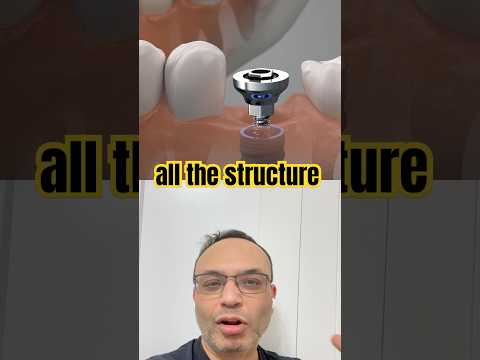
  • β†’ Dental Implants: The Process Explained (step-by-step with diagrams)
  • β†’ Same-Day Emergency Dental (fast-paced urgency without panic)
  • β†’ Teeth Whitening: Professional vs At-Home (honest comparison)
  • β†’ Nervous About the Dentist? (dental anxiety support, empathy-first)

Batch 3: Conversion Support (Month 3)

Retargeting and lead gen focused content

  • β†’ How Online Booking Works (screen recording, 12–15 sec)
  • β†’ Dental Health After 60 (senior-specific needs and concerns)
  • β†’ Dentures vs Implants: Which Is Right for You? (honest comparison)
πŸ“± Equipment & Editing
Equipment: iPhone or Android (portrait mode, 9:16 for Reels)
Lighting: Natural window light or LED ring light ($30)
Audio: Lapel mic ($20) or phone's built-in mic in quiet room
Editing: CapCut (free) or InShot (free) for basic cuts and text overlays
Length: 15–30 seconds max β€” anything longer loses retention
Style: Authentic, conversational, zero scripted corporate voice
Video Inspiration

Short-Form Video Direction

Only highly relevant video references aligned with campaign strategy.
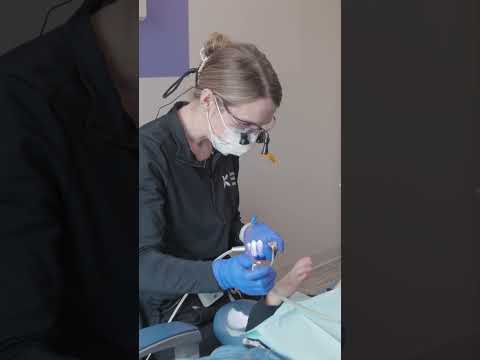
Note: Only core strategy-aligned videos are included (first visit, implants, booking, trust-building).
Ad Calendar

July–September batch-based ad rollout

Production will be planned by batch, not by weekly posting or individual content pieces. Each batch supports the Traffic + Lead Gen pathway with fresh assets, testing time, optimisation, and creative refreshes.

🎬
Batch 1
July
Build the first Lead Gen-ready creative set. Focus on enquiry clarity, low-pressure CTAs, and fresh service-led angles.
πŸ”„
Batch 2
August
Refresh based on early campaign signals. Produce variations of the strongest hooks, visuals, and enquiry angles.
πŸ“ˆ
Batch 3
September
Stabilise and scale. Keep proven angles active, refresh creative before fatigue, and prepare the next 90-day cycle.
July β€” Batch 1: Launch Assets
Create the first Traffic + Lead Gen creative batch
This batch prepares the account for enquiry-focused activity. The priority is to create clear, helpful, action-driven assets that do not simply repeat previous awareness content.
Batch purpose
  • Prepare fresh Lead Gen assets for new patient, emergency, general dentistry, and service enquiry angles
  • Create Traffic support assets that guide users toward the right service or enquiry page
  • Use low-pressure messaging such as β€œNot sure what to book?” and β€œTell us what you need help with”
  • Confirm Lead event tracking and enquiry flow before scaling spend
August β€” Batch 2: Optimisation Assets
Refresh creative based on early campaign learnings
This batch should use performance signals from July to create stronger variations. The goal is not to make more content for the sake of content β€” it is to improve enquiry quality and reduce wasted spend.
Batch purpose
  • Produce new versions of the best-performing Lead Gen angles
  • Refresh hooks, thumbnails, overlays, and form messaging
  • Test alternate service angles based on early lead quality
  • Remove repetitive or weak creatives from active testing
September β€” Batch 3: Stabilise + Scale Assets
Build around the strongest enquiry drivers
This batch should support consistency and avoid creative fatigue. By this stage, the campaign should have clearer signals around which angles, formats, and offers are bringing the most relevant enquiries.
Batch purpose
  • Keep winning Lead Gen creatives active while rotating in fresh variants
  • Prioritise lead quality feedback from the clinic, not just lead volume
  • Create final refresh assets for the strongest-performing service angles
  • Prepare the next 90-day creative direction based on proven campaign learnings
Performance Benchmarks

What success
looks like

Target KPIs for the Traffic + Lead Gen pathway. Once tracking is set up, success should be measured by enquiry volume, lead quality and cost per lead β€” not awareness volume alone.

July Targets β€” Test Phase

150–200
Landing Page Views
0.5–0.8%
Click-Through Rate
$3–5
Cost Per LPV
5–8
Form Submits / Calls

August Targets β€” Scale Phase

250–350
Landing Page Views
0.8–1.2%
Click-Through Rate
$2–4
Cost Per LPV
10–15
Leads Generated

September Targets β€” Stabilise Phase

350–450
Landing Page Views
1.0–1.5%
Click-Through Rate
$40–70
Cost Per Lead
15–20
Qualified Leads
πŸ“Š Weekly Reporting Metrics
Ad Set Level: LPV count | Cost per result | CTR | Impressions | Reach | Budget spent

Creative Level: CTR by format (Reel vs Static vs Carousel) | Hook performance | CTA click rate

Placement Level: Facebook Feed vs Instagram Feed vs Stories vs Reels β€” which placements drive cheapest results?

Audience Level: Cold vs Warm vs Retargeting β€” cost per result comparison

Action Item Tracking: What was paused, what was scaled, what's being tested next week
Audience Direction

Use the audience signals already created

Lead Gen should focus on people who have already shown signs of interest, while Traffic continues to feed new warm audiences into the funnel.

▢️
Video Viewers
People who watched Timberlands’ awareness videos and are already familiar with the clinic.
🌐
Website Visitors
People who clicked through from traffic activity and showed interest by visiting the website.
πŸ’¬
Engaged Users
People who interacted with ads, page posts or service content and can now be moved into enquiry-focused messaging.